Impact
1.5x reduction in support tickets related to unexpected sync charges, a direct result of surfacing the warning before the action, not after.
Airbyte Webapp
Billing warning flow for cloud users reaching high-frequency data refresh thresholds
1.5x
Reduction in support tickets
2 weeks
Decrease in drops off from the Cloud customer base
Overview
A billing workflow redesign for cloud customers to understand data sync configurations and prevent unexpected charges.
Team
Product Designer, Product Managers, Frontend Engineer
Company
Airbyte
Focus
UX Design - B2B - SaaS Platform
Role
I designed a warning experience for high-frequency sync options so users could understand the cost impact before committing, preventing unexpected charges and accidental misconfigurations. My role focused on clarifying system behavior, simplifying descision points, which reduced user friction. and guided them toward more configurable settings.
challenge
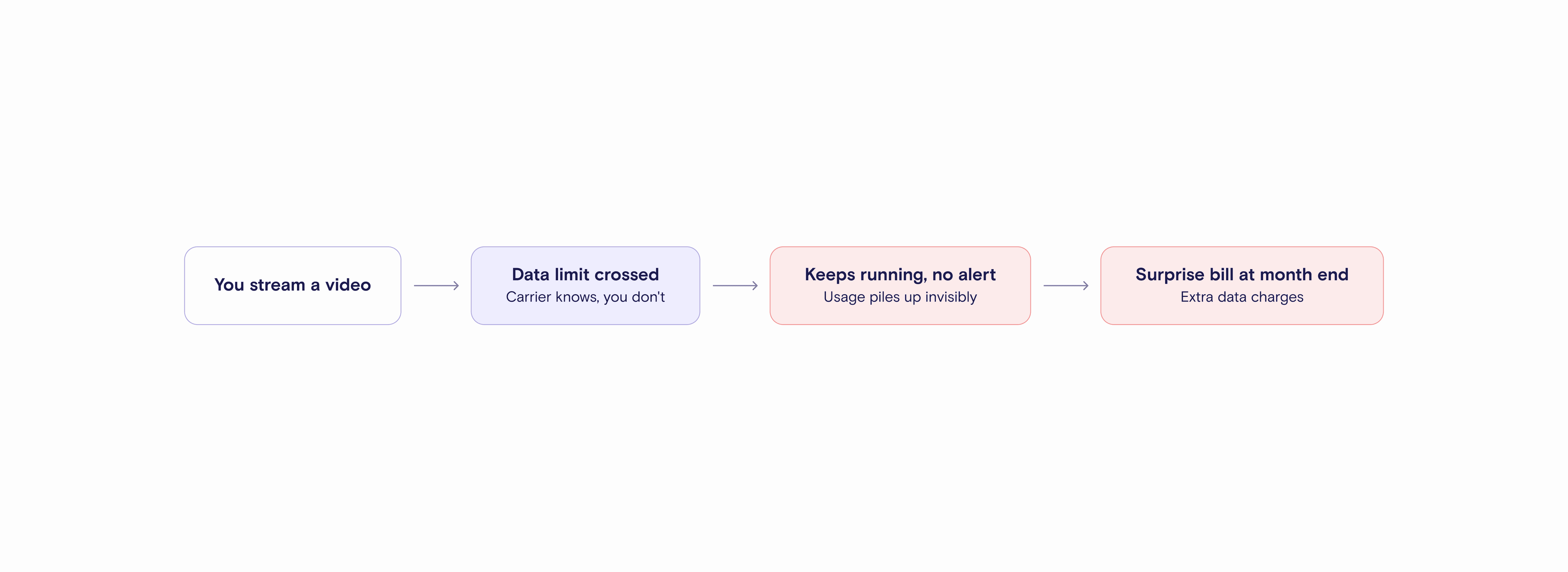
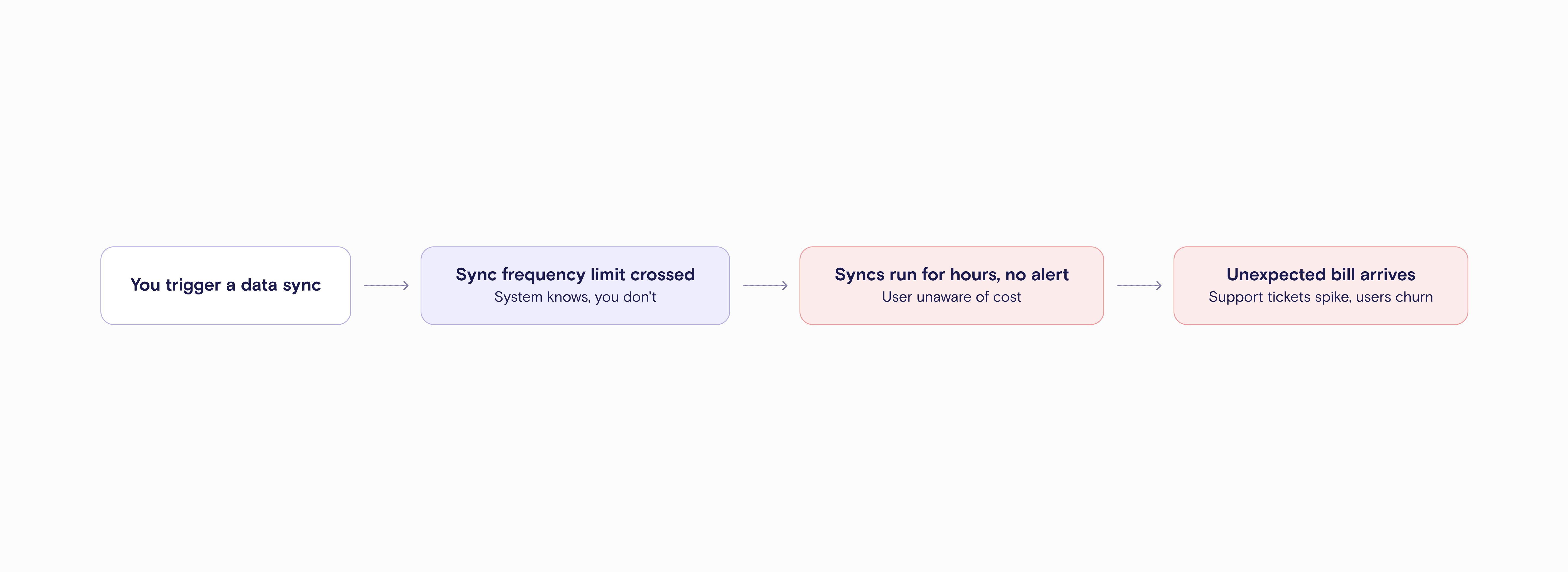
Cloud customers were setting up high-frequency data syncs without realizing how much it would cost. The product had no way to alert them at the moment they were making that decision.
Research
How it happened
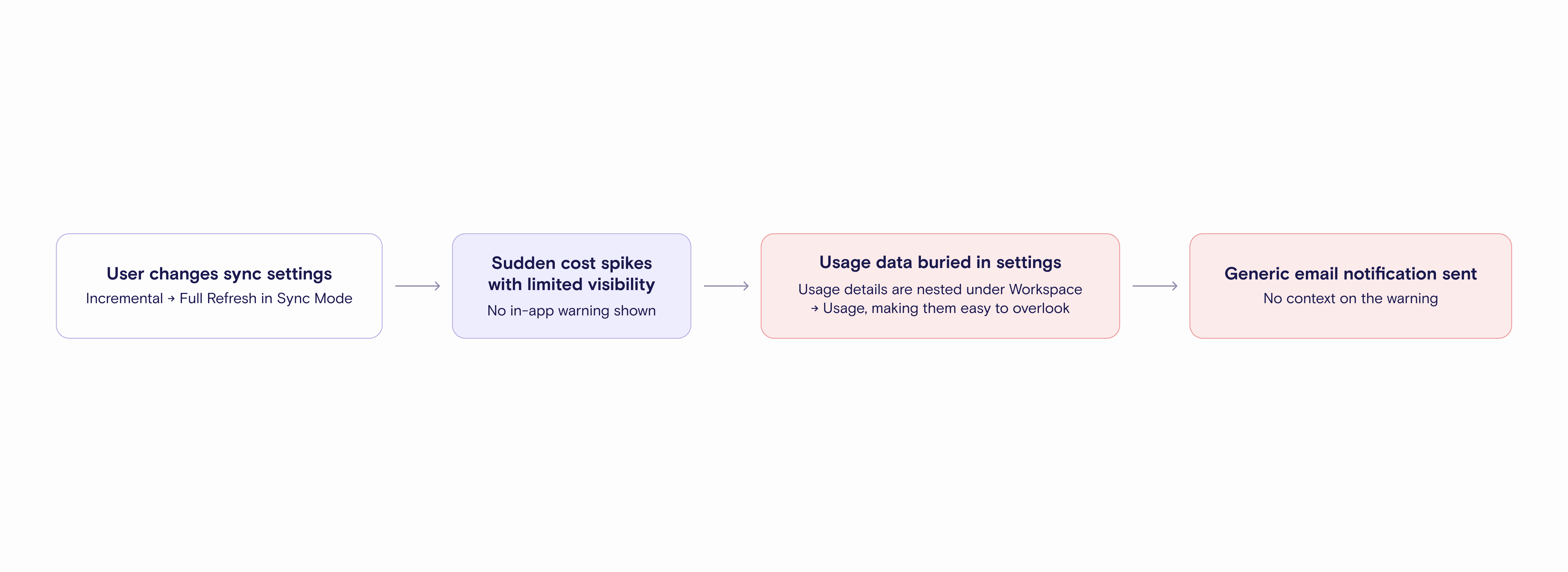
Accidental Misconfiguration
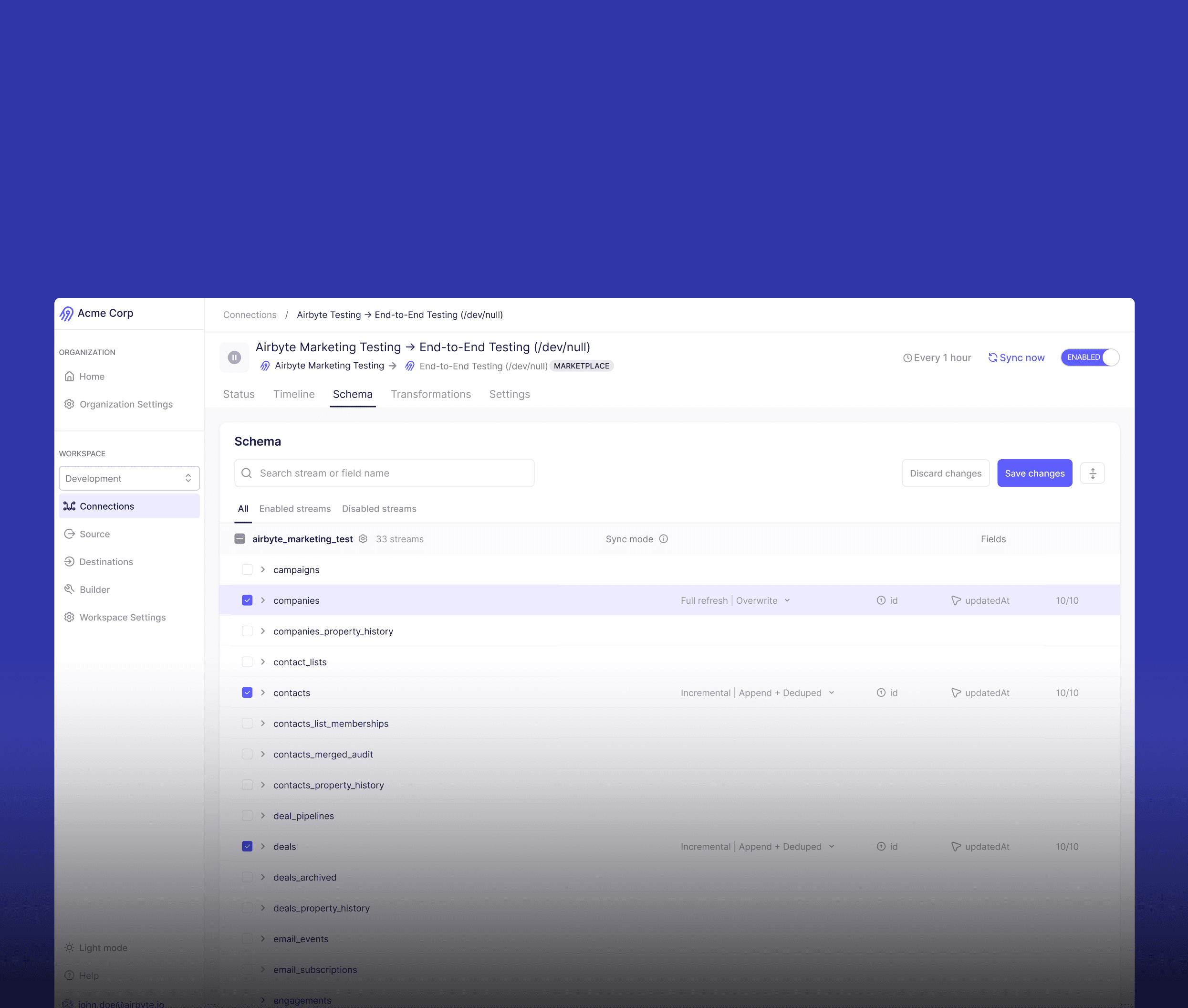
Users switched from incremental to full refresh without realizing the cost difference between the two.
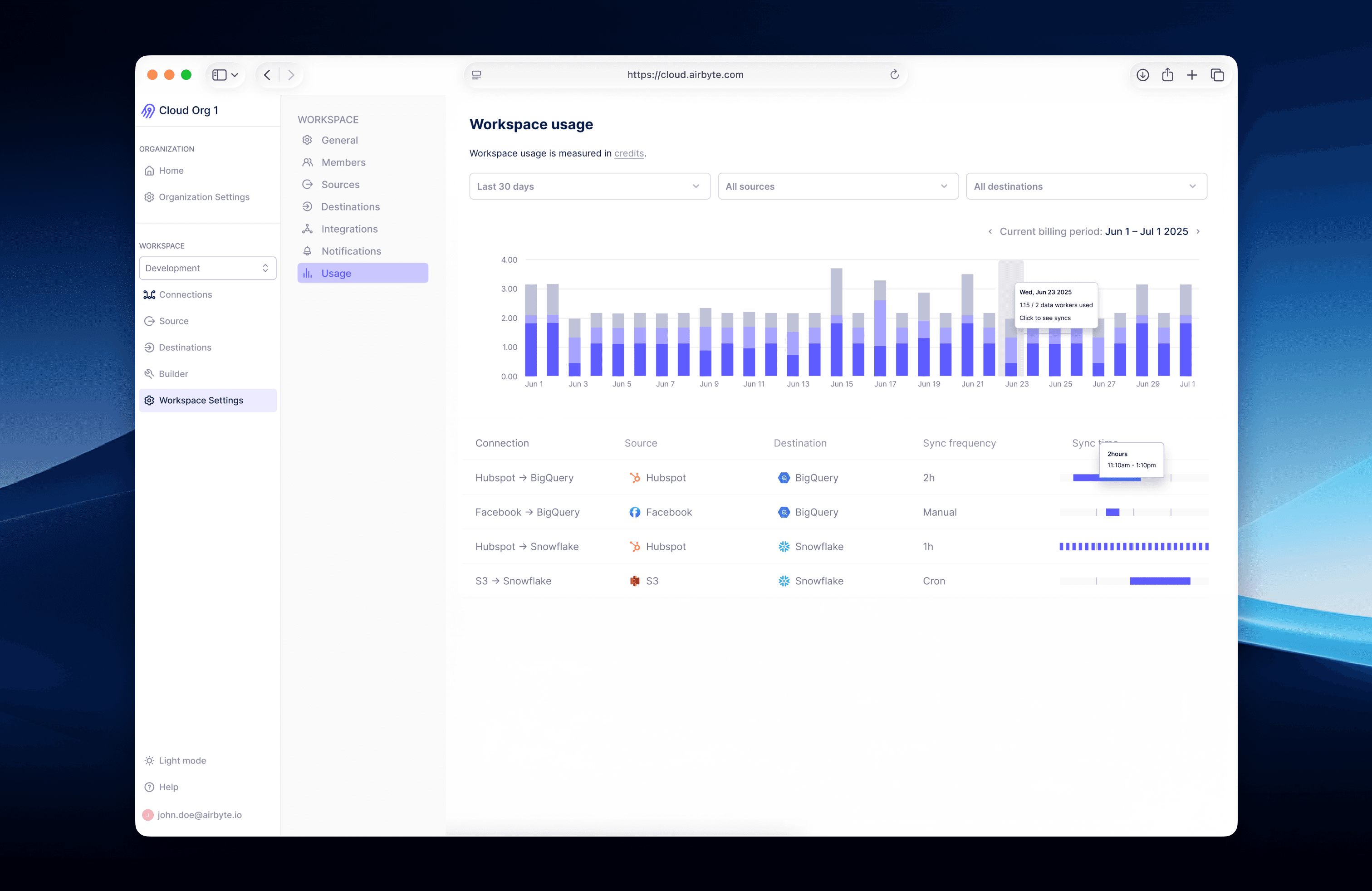
Usage buried in settings
Sync usage information existed in the product, but it hidden in Workspace Settings.
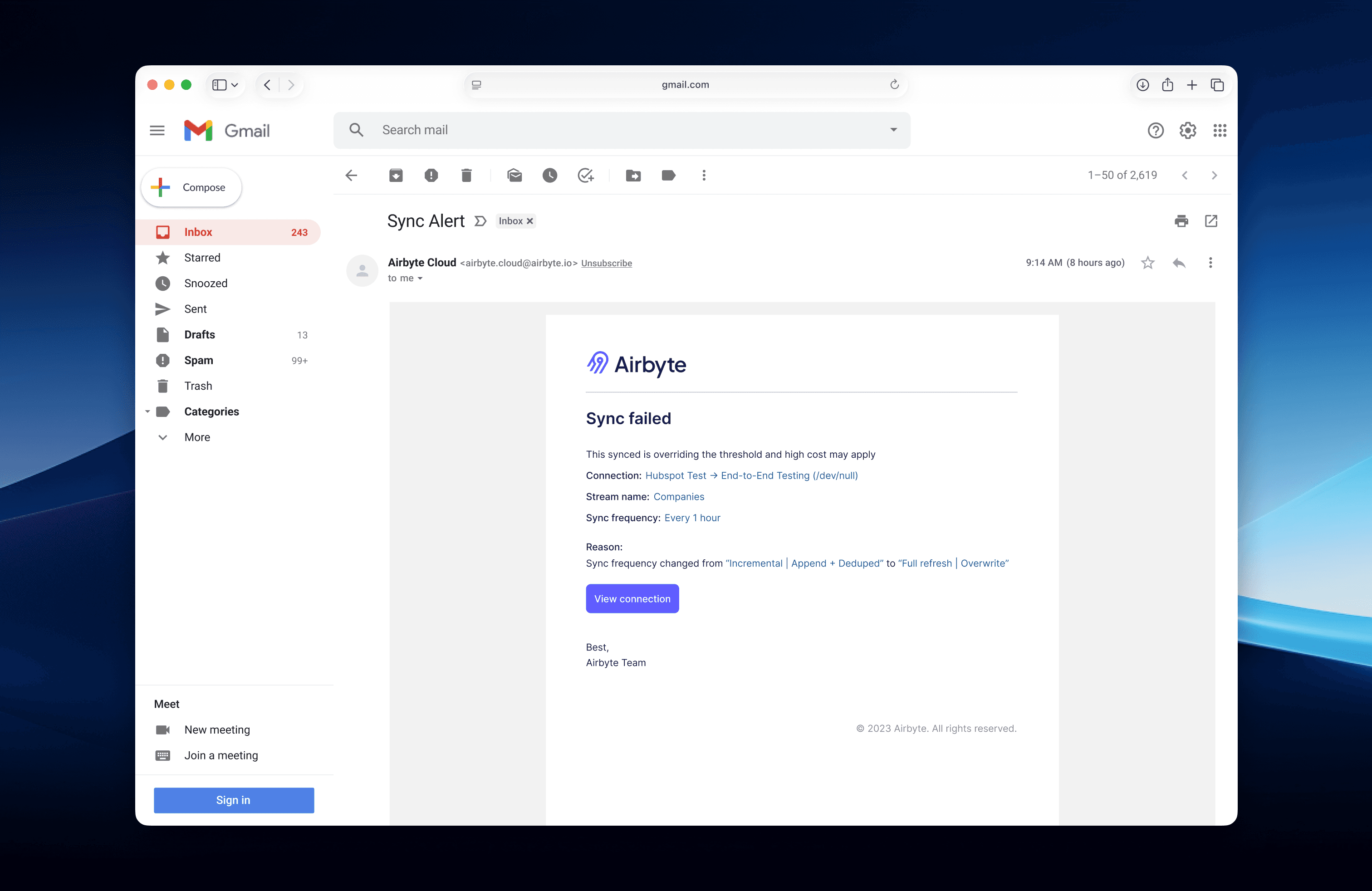
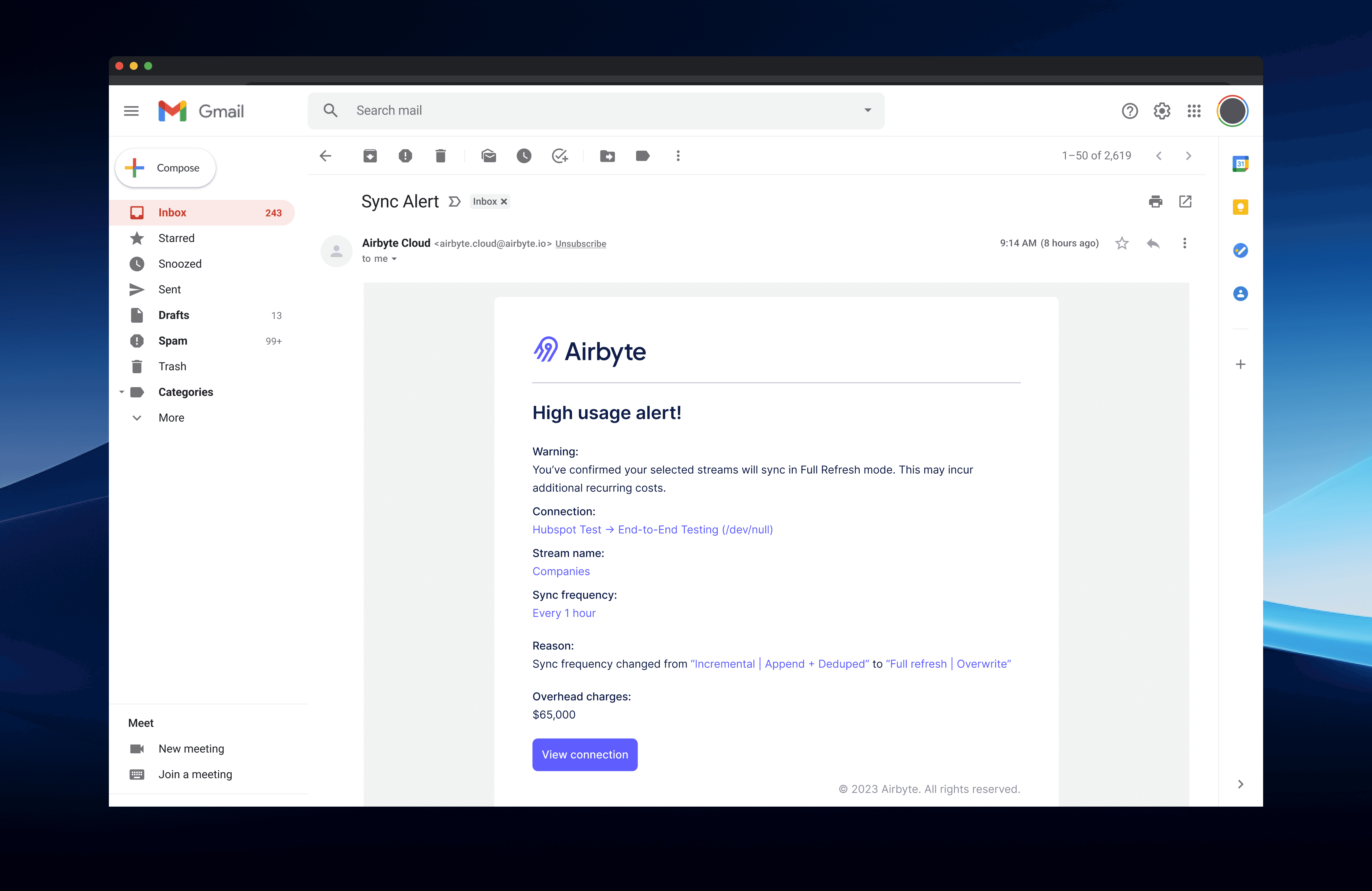
Alerts lacked context
Email notifications went out, but gave users no explanation of what caused the charge.
Evidence from the product
Current Flow
THE PROCESS
How the design came together
Three design directions were explored before landing on the final solution. Each iteration was shaped by real constraints and feedback along the way.
CONCEPT 01
Surfaced cost implications
Users were shown the cost impact of high-frequency syncs right away, with options to upgrade their plan, accept the additional charges or cancel the sync.
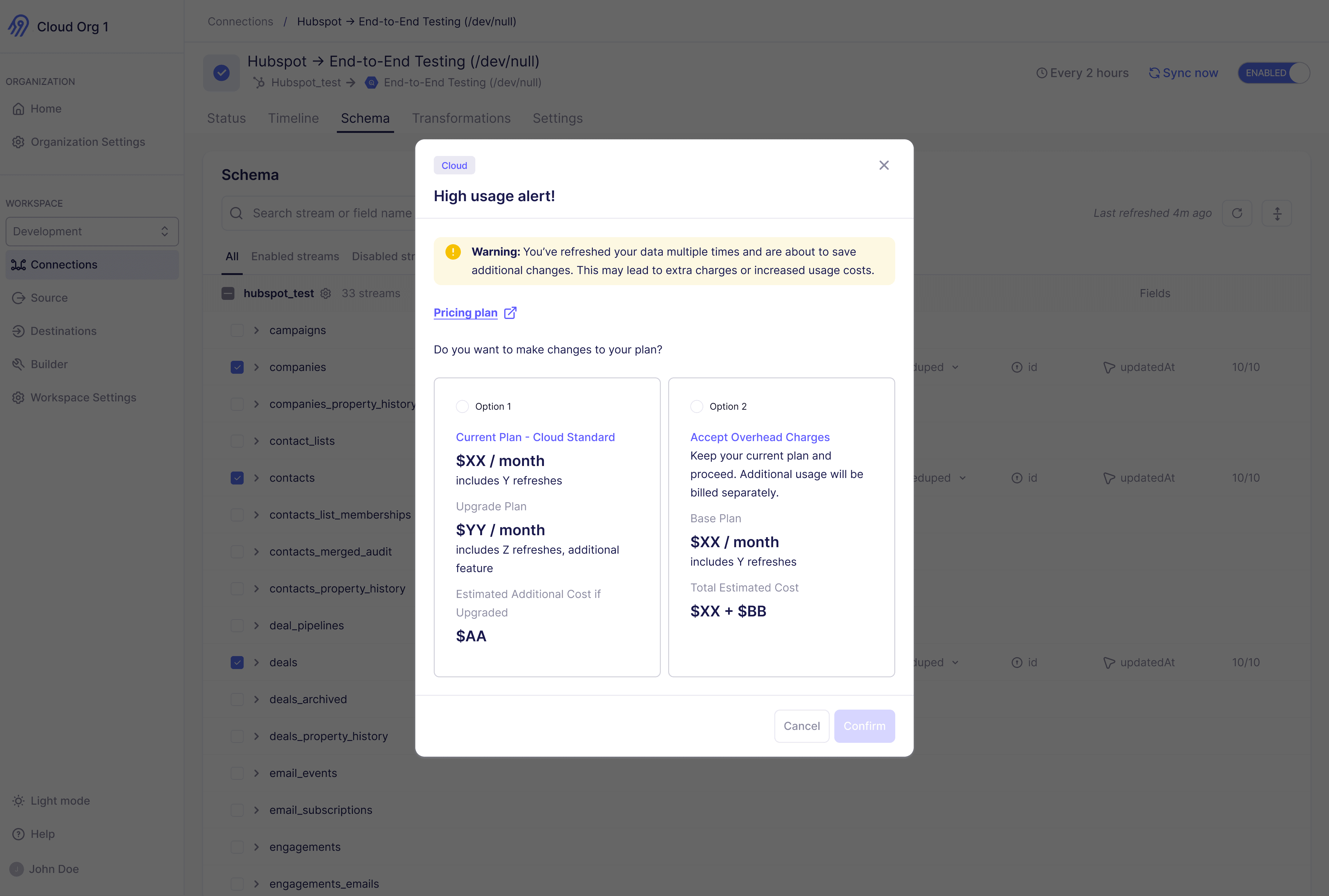
Why we moved on — Putting pricing information inside a warning modal asked users to make a financial decision in a moment of uncertainty. It was too much, too fast.
CONCEPT 02
Confirmation alert
Since exact sync costs couldn’t be calculated in real time it varies from team to team, the system shifted focus to a simple prompt: do you want to proceed knowing this may result in higher charges?
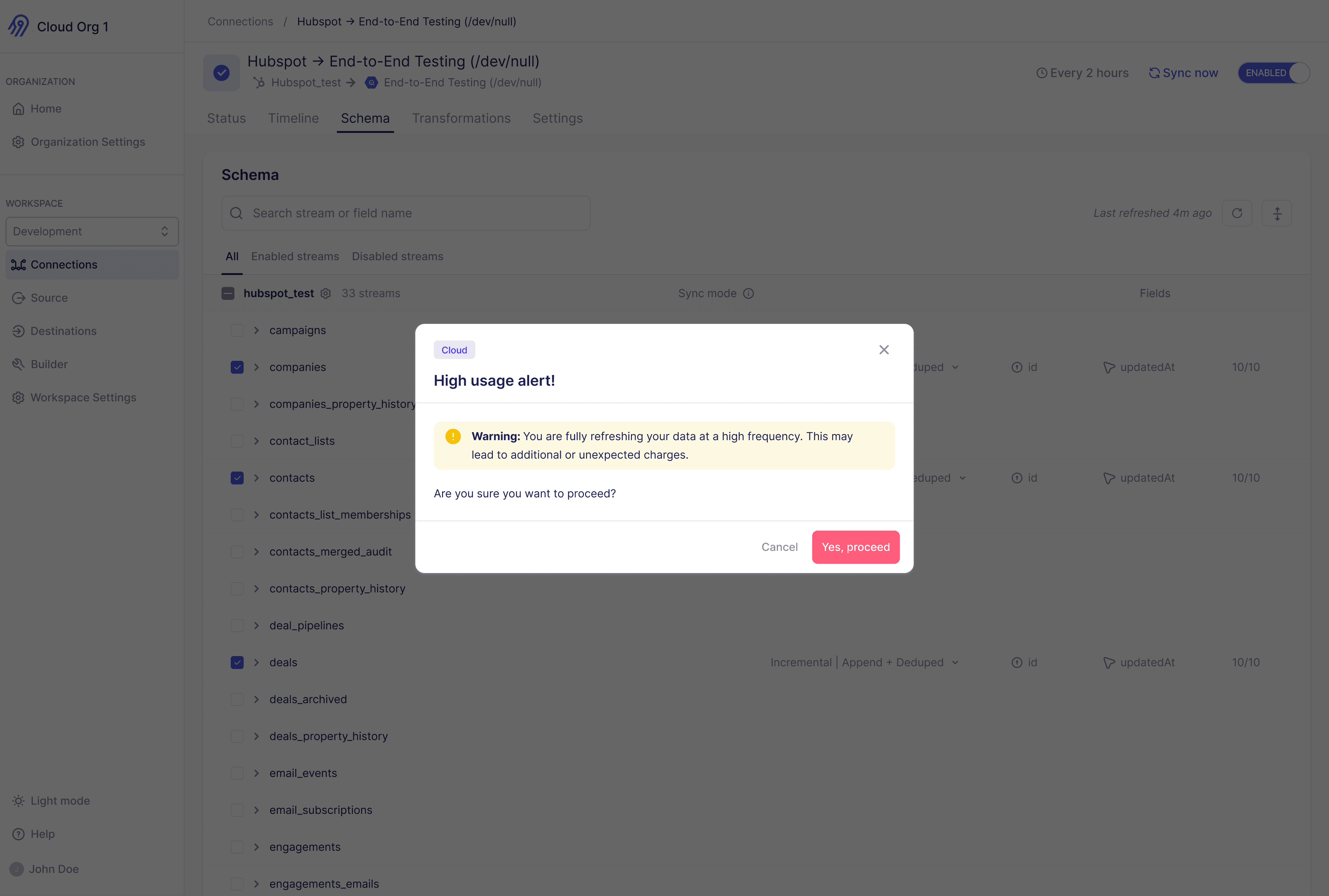
Why we moved on — Exact data synced cannot be measured, the system can only alert users to potential high-frequency charges and this doesn’t give much information to proceed to next steps.
CONCEPT 03
Acknowledgement alert
Simplified to one acknowledgment step before the sync kicked off. But technical constraints on the frontend meant users still had to work through more steps than intended.
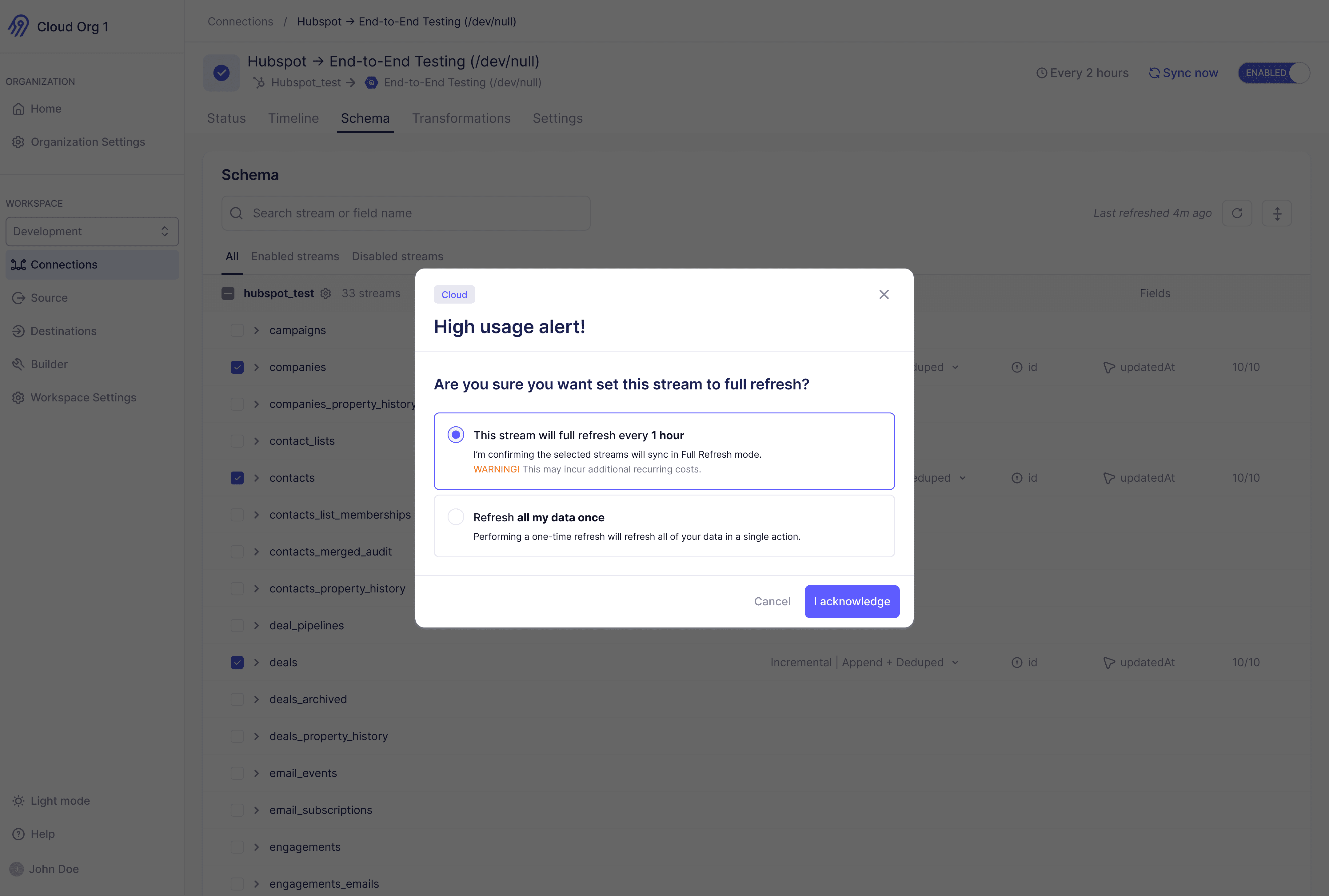
Why we moved on — The additional clicks created friction at exactly the wrong moment in the flow, when users needed clarity, not more decisions.
SOLUTION
Walking through the solution
The final design brings cost awareness into the flow at the right moments, clear warnings before impactful changes, and guided nudges toward a safer, one-time refresh.
USE CASE 01
When a user switches a stream from incremental to full refresh
A warning modal surfaces before the change is saved, giving users the context they need to decide without leaving the flow.
USE CASE 02
When configuration changes need a one-time data refresh
The system flags which streams are affected and nudges users toward a one-time refresh instead of a permanent change, preventing recurring costs they didn’t intend.
impact and takeaways